
What is HMI Display?
HMI displays are typically rugged and durable touchscreens used for interaction between operators and machines or industrial systems. HMI Displays allow users to visualize and monitor real-time operating data and directly control equipment by issuing commands. HMI displays are primarily used in industrial automation, process control, and automotive applications, and are crucial for efficient system management.
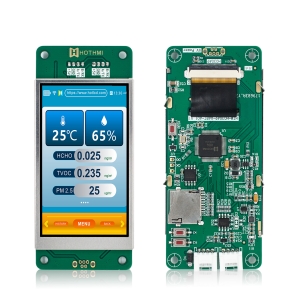
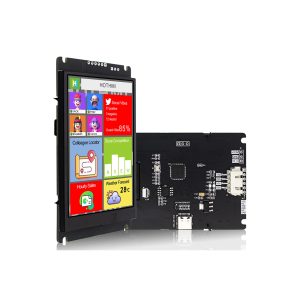
HOTHMI offers a variety of HMI display solutions, including UART HMI displays, RS232 HMI displays, RS485 HMI displays, and CAN HMI displays. We also provide customized display solutions, taking intelligent HMI displays to a new level. Simply tell us your requirements, and we’ll take care of the rest!
Showing all 5 results
Related Video:
4.3 inch Industrial Capacitive Touch Display – UART-Enabled IPS TFT Module
The Importance of Smart HMI display for Intelligent Industrial Control Nowadays
An Smart HMI Display serves as the primary control and visualization hub in automated systems. The core function of an smart HMI Display is to present real-time operational data—such as machine status, production metrics, and alarm notifications—in an intuitive graphical format, allowing operators to monitor process efficiency instantly.
Furthermore, the Smart HMI Display enables direct machine control. Through its touchscreen interface, operators can start or stop processes, input setpoints, and adjust parameters. This interactive capability is central to the smart HMI Display, facilitating quick responses to system changes and ensuring seamless human-machine collaboration. Finally, it often provides data logging for analysis and troubleshooting, making it an indispensable tool for modern industrial intelligence.
What specific functions can smart displays perform in factories?
Smart display is an interactive core that integrates “viewing, managing, and controlling”. On a modern production line, you can see it:
Real time monitoring: Dynamically display the flowchart of the entire production line, whether the equipment is running, stopped, or malfunctioning, at a glance.
- Parameter settings: Operators can directly adjust key parameters such as equipment operating speed, temperature, pressure, etc. on the smart displays.
- Alarm management: When the device encounters an abnormality, it will immediately pop up an alarm in the form of sound and light, and record the history to help quickly locate and solve the problem.
- Data visualization: Transforming tedious data into intuitive trend charts and reportson the smart display screen, providing a basis for production management and optimization.
The application trend of HMI display screens is constantly increasing in various fields
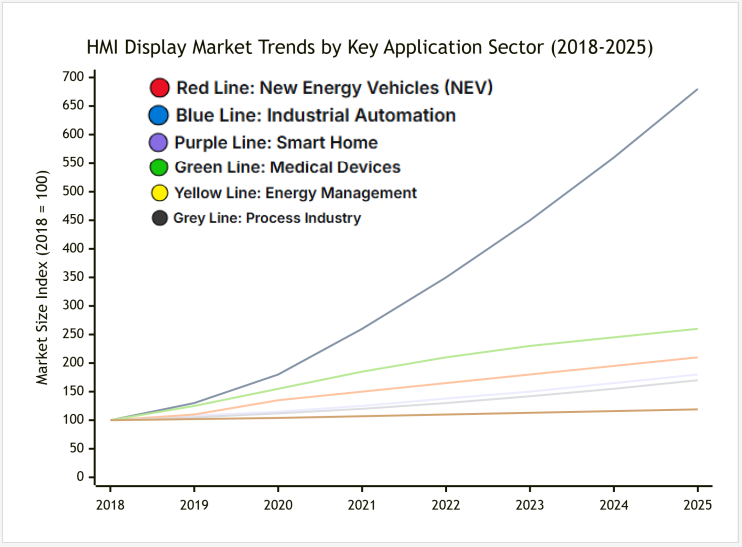
As we can see from the charts, the HMI display market is rapidly developing towards intelligence, electrification, and home integration, especially showing significant growth potential in the fields of new energy vehicles and smart homes. This trend is expected to continue to strengthen in the coming years.
What advantages can HMI Smart Display bring to your development process?
| Dimension | HMI Smart Display Solution | Traditional Development Approach |
| Development Efficiency | High: Visual tools, UI/Logic separation, parallel development | Low: Hand-coded UI, tightly coupled logic, sequential work |
| Graphics & Performance | High: Native hardware acceleration, complex animations & effects | Low: CPU-based rendering, limited, complex visuals cause lag |
| System Stability | High: Layered architecture, UI faults are isolated | Low: Monolithic architecture, UI crash can freeze the entire system |
| Hardware Integration | Simple: “All-in-One” module, pre-integrated drivers | Complex: Discrete components, requires extensive driver development |
| Maintainability | High: Independent UI updates, streamlined OTA capabilities | Low: Full firmware recompile/flash for any change, difficult updates |
As can be seen from the table, The HMI smart display solution empowers engineers by abstracting away low-level hardware and graphics complexity. This allows teams to focus on core application logic and user experience, leading to faster time-to-market and more robust products.
FAQ about HMI Displays?
Q1:Are there any mandatory requirements for the image format of the Smart HMI display?
Answer:It is recommended to use JPEG format for the smart HMI display’s main control board, and save the image once using the built-in Paint software in Windows series to ensure a cleaner image format; otherwise, the image may not display correctly.
Q2:How is data transmitted in the HMI display?
Answer:HMI display mainboard display resources are updated via USB emulation flash drive.
Q3:Which interfaces does HOTHMI’s Smart HMI display support?
Answer:Our Smart HMI display output supports UART/RS232/RS485; we recommend using UART or RS232.