
What is graphic LCD Display?
A graphic LCD is a dot-matrix liquid crystal display module. Unlike character-based LCDs, it can display arbitrary graphics, images, and custom characters by controlling each pixel on the screen. These displays are still widely used in embedded development, electronics manufacturing, and specific industrial applications. Although they have been replaced by color TFT displays in some areas, they still offer advantages in low-power, low-cost, and simple applications.
What Graphic LCD displays does HOTHMI offer?
Graphic LCD displays are one of HOTHMI’s core product lines, designed specifically for industrial and professional applications requiring high reliability, strong environmental adaptability, and long-term stable supply. The Graphic LCD display product category covers a full range of products from standard modules to highly customized solutions, offering various standard resolutions from 122×32, 128×64 to 320×240, and 640×200, integrating common interfaces such as SPI and 8/16-bit parallel, and compatible with mainstream controllers. Advantages such as ease of customization, robust structure, strong anti-interference capabilities, stable quality, and long-term supply make Graphic LCD displays widely used in industrial instrumentation, construction machinery, cockpit instrumentation, power system substation monitoring terminals, outdoor oil and gas pipeline control units, and marine navigation equipment displays.
Showing all 4 results
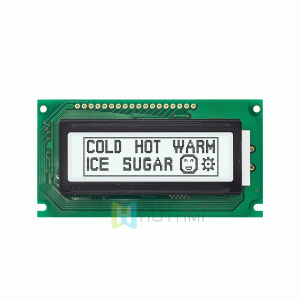
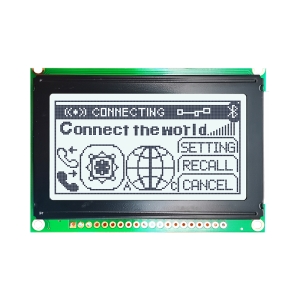
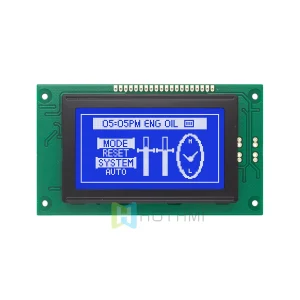
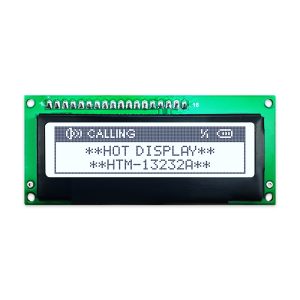
The structural components of graphic LCD display modules
The graphic LCD display module consists of a metal frame, protective film, conductive zebra connector, LCD glass, backlight unit, PCB control board with integrated driver IC, and pin interface. The overall design uses a vertical stacking arrangement, resulting in a compact structure that is easy to integrate.
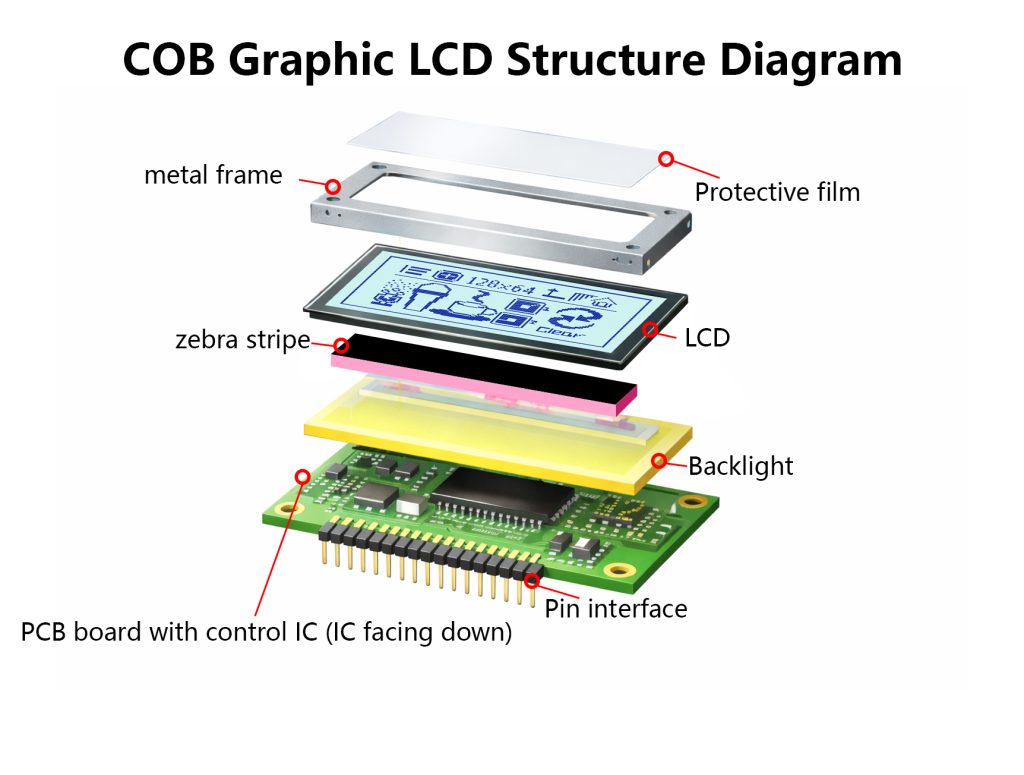
What are the advantages of graphic LCD displays?
Easy Customization: Supports Graphic LCD display selection and configuration, providing a complete driver library and documentation, significantly shortening the development cycle. We have established a six-dimensional configuration matrix covering size, resolution, display mode, interface, backlight, and touch functionality.
Stable Technology: Utilizes mature and stable driver solutions and COB production processes to ensure consistency between batches.
Resistant to Harsh Environments: The standard operating temperature range for graphic LCD displays is -20℃ to +70℃, and can be extended to -40℃ to +85℃.
Robust Structure: Reinforced packaging and materials ensure the physical reliability of the graphic LCD display under vibration and high/low temperature shock.
Strong Anti-interference: Optimized circuit design and shielding, built-in filtering and protection circuits, easily passing industrial-grade EMC tests.
Long-term Stable Supply: Provides a supply guarantee of 10 years or more, supporting the reproduction of older models and compatibility upgrades, completely eliminating concerns about discontinuation.
What kind of customization services can HOTHMI provide for your graphic LCD display modules?
HOTHMI offers you a simple and convenient customization process, with a professional engineering team providing comprehensive collaborative development support from concept to mass production. Furthermore, our technology and quality are stable, and through rigorous validation processes, we ensure that our customized graphic LCD display modules have the same excellent reliability as our mass-produced products.
| Connector customization: Easily modify any connector on the display to meet your application requirements. Our engineers can solder pin headers, box headers, right-angle connectors, and any other connectors your display may require. |
| PCB modification: Choose from a variety of changes to the PCB shape, size, pinout, and component layout to perfectly fit your application. |
| Backlight color customization: The module backlight has a variety of combinations to choose from, including no backlight or yellow-green/blue/white/amber/red/RGB backlight options, with up to 48 effects to choose from. Click on the customization page for reference. |
| Font Customization: A variety of font libraries are available, including English/Japanese, Western European, Eastern European, Scandinavian European, Cyrillic (Russian), Hebrew/Arabic, and more. |
| Cable Customization: Adjust cable length, position, and pinout, or add additional connectors. Get a precisely designed cable solution that streamlines and secures your connections. |
| Shape Customization: Supports customization of specific Graphic LCD display modules dimensions. |
| Function Customization: Integrate specific graphic LCD display modules ICs, sensors, or develop dedicated communication protocols. |
When you’re preparing to buy a graphic LCD display modules, what parameters should you pay attention to?
| Parameter Item | Standard graphic LCD displays | Rugged & Wide-Temp graphic LCD displays | Remarks |
| Display Type | STN / FSTN Graphic Dot Matrix | FSTN / TFT Graphic Dot Matrix | Monochrome-based, supports grayscale |
| Operating Temperature | -20℃ ~ +70℃ | -40℃ ~ +85℃ | Storage temperature range is even wider |
| Backlight Brightness | 200 – 300 cd/m² | 300 – 1500 cd/m² | Can be customized as per requirements |
| Viewing Angle | 6 o’clock / 12 o’clock | Full viewing angle optional | |
| Interface Type | SPI, Parallel | SPI, Parallel, Optional | |
| Structural Features | Plastic / Simple Metal Frame | Fully Metal Shielded & Reinforced Structure | Enhances mechanical & EMC performance |
| Special Certifications | RoHS, REACH | Supports customer-specific industrial certifications (EMC, Vibration, Shock, etc.) |
Based on the technical specifications above, we can see that the standard graphic LCD display series differs in various aspects from the rugged and wide-temperature graphic LCD displays series. Users should choose the appropriate type based on their specific needs.
What are some common problems encountered when using graphic LCD displays modules?
What should I do if the graphic LCD display modules show nothing (white screen or black screen)?
When the Graphic LCD display modules show nothing, the following aspects should be re-checked.
- Check the power supply:Confirm the voltage (e.g., 5V/3.3V), polarity, and GND connection.
- Adjust the contrast: Rotate the potentiometer or adjust the PWM output until “ghosting” appears.
- Check the initialization code: Write the code strictly according to the timing and instruction sequence in the datasheet.
- Check the backlight: Confirm the backlight power supply and current-limiting resistor.
When the Graphic LCD display modules show blurry content, poor contrast, or “ghosting,” the following aspects should be readjusted:
- Fine-tune the contrast: Use an adjustable resistor or the DAC/PWM output of a microcontroller to find the optimal value for the Graphic LCD display module.
- Temperature compensation: For wide-temperature applications, use a circuit with a temperature sensor to dynamically adjust the contrast.
- Check power supply stability: Ensure that the Vop/V0 pin voltage is stable and noise-free.
What to do when the Graphic LCD display modules show garbled characters, random pixels, or static?
When the Graphic LCD display modules show garbled characters, random pixels, or static, the following aspects should be considered:
- Check and adjust the timing:Add microsecond-level delays, especially for low-speed MCUs or analog I/O.
- Power supply decoupling:Add a 104 (0.1uF) filter capacitor near the LCD power supply pins.
- Recheck the initialization process:Strictly follow the steps in the datasheet, and ensure proper operation of the reset pin.
- Add “busy state” checking: Before each operation, read the controller status and wait until it is ready.
For more information about problems that may occur during the use of graphic LCD display modules and their solutions, please contact HOTHMI customer service. We will patiently and carefully guide you to find the right solution.
General debugging steps for graphic LCD displays
General Debugging Steps for Graphic LCD Displays
- Frame Buffer: For complex graphics, it is recommended to allocate a video memory buffer in the MCU RAM that matches the screen resolution. All drawing operations should be performed in the buffer first, and then refreshed to the screen at once to avoid flickering and simplify the logic.
- Power Management: Most graphic LCD display controllers support sleep mode; turn them off when not needed to save power.
- ESD Protection: Graphic LCD modules are sensitive to static electricity; take precautions during soldering and operation.
Why choose HOTHMI’s Graphic LCD displays as your LCD manufacturer?
When you choose HOTHMI’s Graphic LCD displays, you will get:
- Risk-controlled development experience: A clear customization path and a stable technology platform ensure your project progresses on schedule.
- Proven product reliability: From materials to processes, every detail is designed to withstand real-world challenges.
- Secure supply chain guarantee: We are not just a supplier, but a long-term partner for your product’s success, safeguarding your supply chain security.
A Graphic LCD display is more than just a display component; it’s a crucial part of your device’s reliability. Browse our series or contact the HOTHMI technical team today for personalized selection advice, sample requests, and custom solution consultations.
FAQ about Graphic LCD Display
Q1:What are the differences between a Graphic LCD display module and a Character LCD display module?
Answer:Character LCD display modules can only display fixed characters from a built-in character library (letters, numbers, and predefined symbols). Graphic LCD display modules, on the other hand, are composed of a matrix of pixels, allowing control over the on/off state of each pixel. Therefore, they can display any graphics, Chinese characters, icons, and custom characters, offering much greater flexibility.
Q2:Should I choose a monochrome graphic LCD display module or a color TFT LCD display?
Answer:If the project is cost-sensitive, requires extremely low power consumption, only needs to display static or simple graphics, and requires high visibility in bright light (often with a high-brightness backlight), then choose a monochrome graphic LCD (STN/FSTN). If you need to display color images, animations, complex UI interfaces, and touch interaction, and have higher requirements for refresh rate and viewing angle, then choose a color TFT LCD display.
Q3:What are the common interfaces for graphic LCD displays?
Answer:Common interfaces for graphic LCD displays include parallel interfaces (8-bit/4-bit) and serial interfaces (SPI/I2C). When choosing which interface to use, it’s recommended to evaluate the MCU pin resources and the required refresh rate. SPI is the most common choice in embedded projects.
Q4:4. Are controllers (such as ST7920, KS0108, SSD1306) important for graphic LCD displays?
Answer:They are very important. The controller determines the instruction set, initialization sequence, communication protocol, and internal functions of the graphic LCD display. The driver code must be written entirely according to its datasheet. For example, the driver code for the SSD1306 (commonly used in 128×64 OLED displays) is completely incompatible with that of the ST7920.
Q5:What to do if there are defective or dead pixels on a graphic LCD display?
Answer:A small number of defective pixels (always on or always off) are usually due to physical damage to the graphic LCD display and cannot be repaired through software. In software, you can try to avoid drawing at those pixel coordinates.