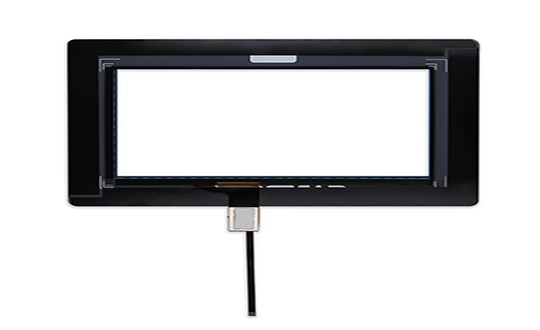
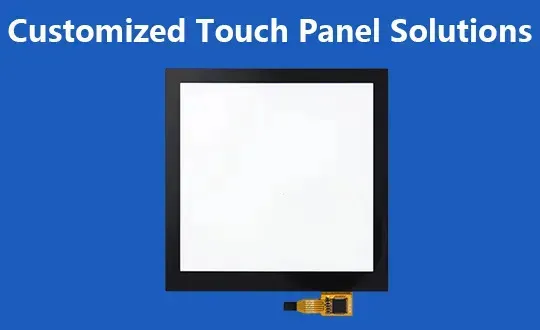
Customized Touch Panel Solutions
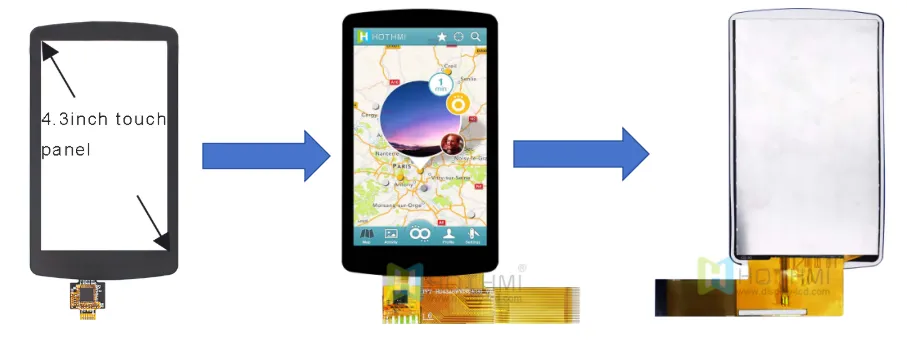
What role does the touch panel play in the display?
Our customization capabilities
| Cover Material | Tempered glass (up to 7H)/acrylic |
| Cover Shape | Support special-shaped cutting/opening/edging (2.5D, 3D)/transmittance |
| Cover Color | Support different color silk screen (usually black or white) |
| Cover Thickness | 0.55/0.7/1.0/1.1/1.8/2.0/3.0/4.0/5.0/6.0/8.0/10.0(mm) etc. |
| Light Transmittance | High light transmission efficiency, which directly affects the visual effect of the touch screen. |
| Opening the Hole | Can open through holes with a diameter of ≤10mm |
| Logo Printing | Support logo silk screen printing and multiple colors |
| Cover Surface Treatment | AG anti-glare: Eliminates mirroring issues on the screen surface; AR anti-reflection: Coating to reduce reflected light (improves visibility in sunlight); AF anti-fingerprint: Coating to increase glass gloss and reduce sliding resistance (prevents water droplets and fingerprints) |
| Customized Touch Function Chip | A touch sensor translates “touch” actions into machine-understandable language. Offer customized sensor materials, thicknesses, FPCs, interfaces, etc. |
Types of Touch Panels And Key Points To Consider
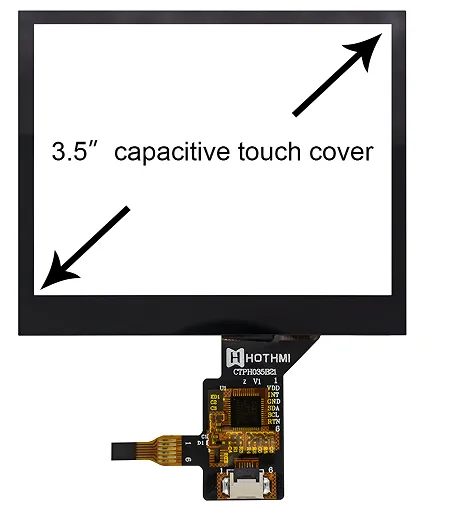
Capacitive touch panel:
Capacitive touch panel features
| Supports real multi-touch | It can recognize ten or more touch points at the same time, and perfectly supports complex gestures such as two-finger zooming, image rotation, and multi-key game operations. |
| High sensitivity | No need to press hard, just a light touch will respond, and the operation is smooth and follow-up. |
| High light transmittance | Typically >90%, much higher than the ~75% of resistive screens. This means a brighter screen, more vivid colors, and a clearer, more detailed display, with the touch screen layer barely noticeable. |
| High Definition | Ideal for high-resolution displays (e.g. Retina, 4K). |
| High and low temperature resistance | The operating temperature range is generally better than that of resistive screens (e.g. -20°C ~ 70°C). |
| Dustproof and waterproof | The glass surface is easy to seal and can better support dustproof and waterproof design (such as IP67/IP68 rating). |
Resistive touch panel:
Resistive touch panel features
| Core advantages | This is the most significant feature of resistive screens. Because they rely on physical pressure rather than electric field induction, they can be operated with any object, including fingers (bare or gloved), nails, ordinary styluses, plastic sticks, and more. This is a critical requirement in industries such as industry and medicine. |
| Strong anti-interference ability | It is completely unaffected by non-conductive media such as water, oil, dust, and dirt. Even when there is liquid or dirt on the screen surface, it can still work stably without false touches. |
| Low cost | The structure and manufacturing process are relatively simple, the technology is very mature, and it is one of the lowest-cost options among all touch technologies, making it very attractive for budget-sensitive projects. |
| High Precision | (When using a thin stylus) With a thin hard stylus, very high positioning accuracy can be achieved, suitable for scenarios requiring precise input such as signing and drawing. |
Application scenarios of resistive touch panels
Although capacitive touch technology has become mainstream in the consumer electronics field, resistive touch, with its advantages such as low cost, strong anti-interference ability, good environmental adaptability, and the ability to be operated with any object, remains an irreplaceable solution in fields such as industrial control, medical equipment, and the catering industry, especially in scenarios where gloves must be worn or in environments with high levels of dust, oil, and moisture.
How to choose a suitable touch panel solution
When choosing the right touch technology, it’s important to consider multiple factors, including product positioning, usage environment, cost, and user experience. Resistive and capacitive touch technologies are complementary, and there’s no absolute superiority or inferiority; the only consideration is suitability for the application scenario.