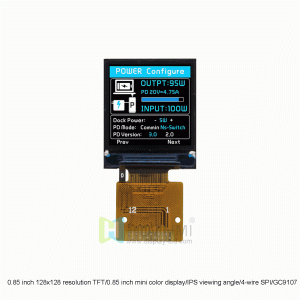
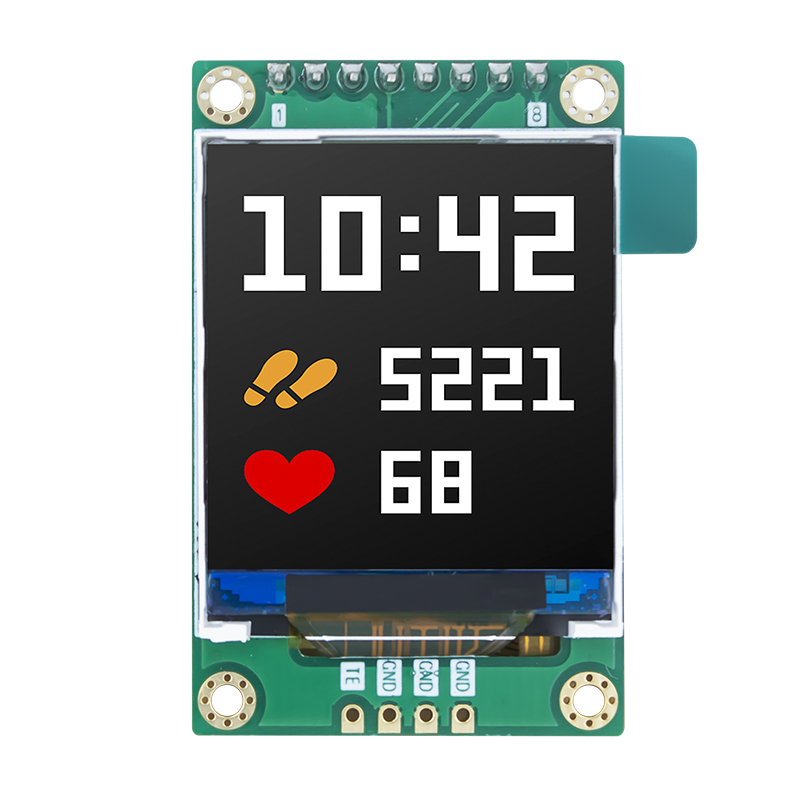
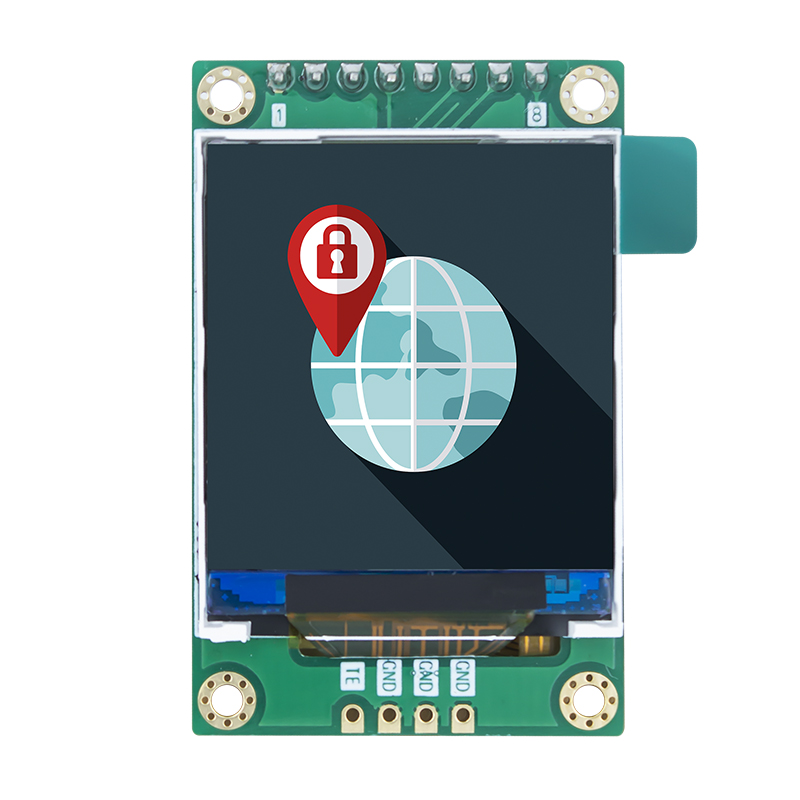
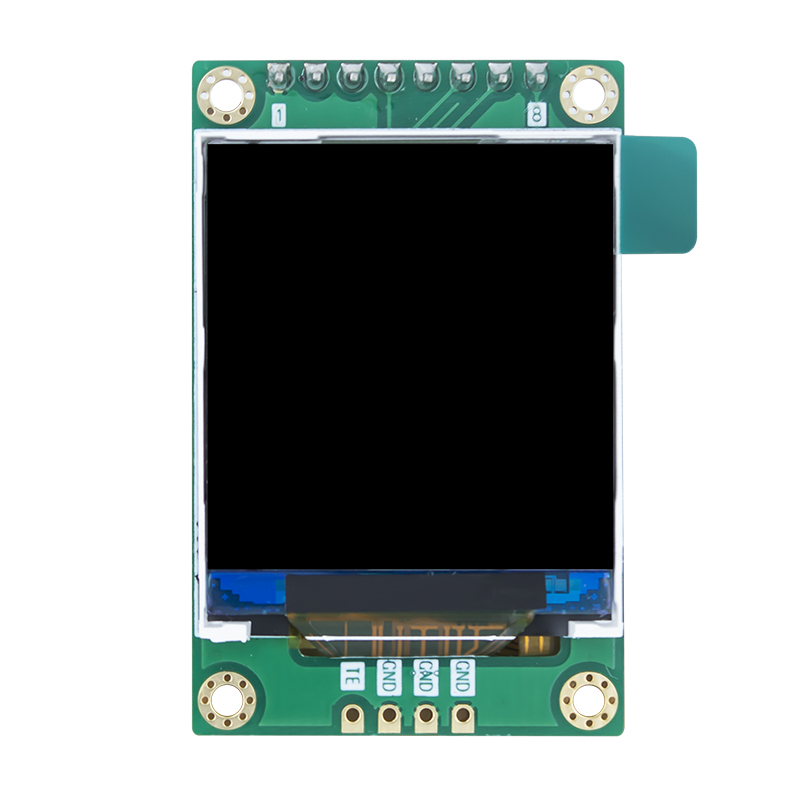
1.44 inch Arduino Display Screen 128×128 SPI
- Model: HTM-H014A05-SPI-A01
- Display pixels: 128×128 pixels
- Overall dimensions (mm): 30×46.5×3.4
- Brightness: 300cd/m²
- Interface: SPI
- Working temperature: -20℃~+70℃
- Driver chip: ST7735
$8.80
In stock
This item: 1.44 inch Arduino Display Screen 128x128 SPI
$8.80
$8.80
Description
Arduino Display Screen Product Overview
The HTM-H014A05-SPI-A01 is a 1.44-inch TFT transmissive LCD module designed for compact smart devices, featuring 128(RGB) x 128 dots resolution and a 1:1 square display ratio. This normally white panel integrates the powerful ST7735 single-chip TFT mobile display driver and communicates via an efficient SPI-4L serial peripheral interface, supporting 53% color gamut and 262K color rendering.
With a typical operating voltage of VCI=3.3V, module brightness of 300 cd/m², white LED backlight, and a viewing direction of U70/D60/L70/R70. It also offers excellent environmental adaptability, with a TFT operating temperature range of -20℃ to +70℃ and storage temperature range of -30℃ to +80℃, making it ideal for color display applications in various compact electronic devices.
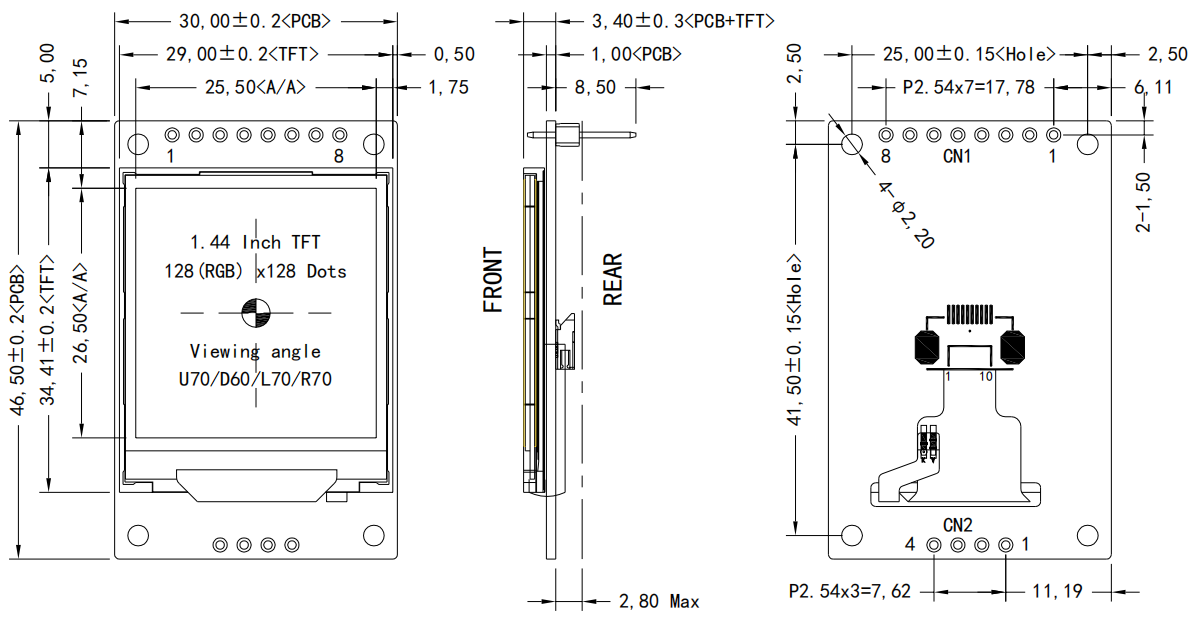
Arduino Display Screen Core Highlights
To make your product stand out in the marketplace or open-source community, this Arduino Display Screen offers the following five core highlights:
- High‑Efficiency SPI‑4L Communication – Minimal Pin Occupation
Traditional parallel displays require up to 8–16 I/O pins, whereas this module adopts a standard 4‑wire serial SPI interface, dramatically reducing the pin burden on your Arduino. This frees up more pins for connecting additional sensors or actuators. - 262K True Colour & 53% Wide Colour Gamut
Built‑in ST7735 hardware‑accelerated colour processing delivers sharp image edges and smooth, delicate colour transitions, rendering complex bitmaps and gradient UIs with exceptional fidelity. - Industrial‑Grade Wide Temperature Tolerance
This Arduino Display Screen is no ordinary toy‑grade accessory; its designed operating temperature spans –20 °C to +70 °C, with storage temperature from –30 °C to +80 °C. Whether in harsh northern winters or sweltering southern summers, it maintains stable performance. - Ultra‑Compact Structure & Minimalist Embedding Design
The active display area (A/A) measures 25.50 x 26.50 mm, and the maximum overall thickness is only 2.80 mm (excluding header pins), making it an ideal fit for space‑constrained, portable devices. - Comprehensive Ecosystem Support & Full Compatibility
Fully compatible with major open‑source Arduino graphics libraries such as Adafruit_GFX, Adafruit_ST7735, and TFT_eSPI, enabling seamless porting and one‑click initialisation.
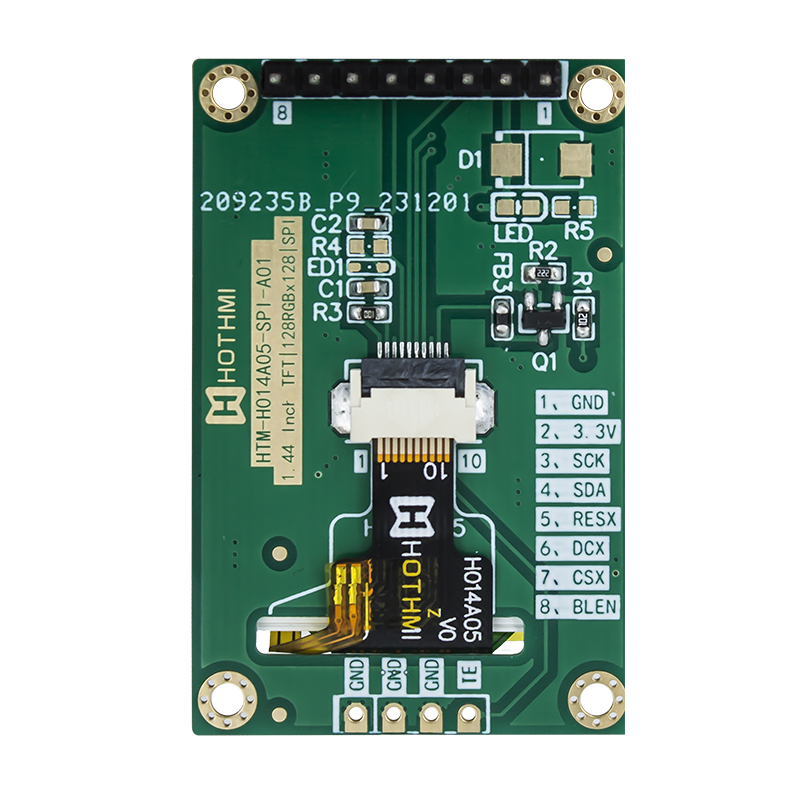
Pin Assignment
CN1 Main Signal Interface Description
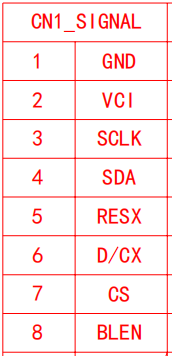
CN2 Auxiliary Interface Description
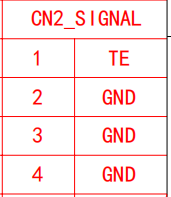
Typical Application Scenarios
Thanks to its compact size, excellent colour brightness, and low resource consumption on microcontrollers, this Arduino Display Screen is widely used in the following electronic design fields:
- Smart Home & IoT Open‑Source Gateways – for real‑time display of temperature/humidity sensor data, mini weather stations, and smart access control UI interfaces.
- Portable Health Monitoring Devices – combined with pulse sensors and oximeters to create handheld activity trackers, heart‑rate monitoring watch extension screens, etc.
- Mini Retro Gaming Consoles – with ultra‑low latency and hardware‑accelerated SPI speeds, perfect for building classic block‑matching games, Snake, or pixel‑based RPG handhelds on Arduino.
- Smart Automotive Dashboards & Connected Vehicle Devices – used as OBD data micro head‑up displays (HUDs), or as auxiliary screens for car battery/voltage status monitoring.
- STEM Education & Industrial Instrumentation – ideal for university electronic design contests, robot status indicator panels, and laboratory multi‑channel voltmeter/ammeter displays.
Technical Q&A for Arduino Display Screen
Q1: Can this 1.44‑inch Arduino Display Screen be directly connected to a 5V Arduino Uno or Nano main board?
A1: The module’s VCI main power supply is rated at 3.3V, and the ST7735 driver IC is a standard 3.3V logic‑level device. If you are using a 5V logic microcontroller (e.g., traditional Arduino Uno R3), it is strongly recommended to insert 1k–2kΩ series resistors on the SPI signal lines (SCLK, SDA, CS, D/C) or use a level shifter for proper voltage matching. Directly feeding 5V high‑speed signals may cause overheating, display artefacts, or even permanent damage to the driver chip due to overvoltage.
Q2: How to resolve white screen and backlight failure issues on the Arduino Display Screen?
A2: The normally white panel characteristic means that without receiving the correct driver initialization commands, the backlight passes through the liquid crystal layer causing a full white screen. Please check the following issues in order:
- Incorrect wiring: Verify that the SPI pins (SCL/SDA) are connected to the hardware SPI port of the main board.
- Excessive logic level: The Arduino’s 5V signals may trigger protection on the ST7735; use resistor dividers or level shifters.
- Mismatched pin definitions in code: Ensure that the pin numbers used in the code exactly match your physical breadboard connections.
From minor concept tweaks to full custom redesign & development, our engineering team offers end-to-end technical support. Feel free to contact us for custom display demands or technical issues during product selection.
Additional information
| Weight | 0.2 kg |
|---|
Attributes
| ITEM | PARAMETER DESCRIPTION | UNIT |
| TFT series | HTM-H014A05-SPI-A01 | |
| Diagonal size | 1.44” | Inch |
| Resolution | 128x128 | Pixels |
| Dimensions | 30×46.5×3.4 | mm |
| Active area (AA) | 25.5×26.5 | mm |
| LCD type | 1.44"TFT LCD | mm |
| Display viewing angle | Full View | |
| Driver chip | ST7735 | |
| Backlight type | LED white | |
| Interface | SPI | |
| Brightness | 300 | cd/m² |
| Operating temperature | -20℃~+70℃ | ℃ |
| Storage temperature | -30℃~+80℃ | ℃ |
Related products